
Meet Genie — the desktop for your agents
Tynn exists to create a harmonious flow state between humans and AI agents. Genie is where that flow lives on your desktop — the world's first Agentic Operating System, putting every project, terminal, editor, and background process in one window, with your agents reaching out the moment they need you. It runs the machine so the work moves and you never lose the thread.
Download Genie
BetaGenie is in beta and isn't code-signed yet, so your OS may warn you on first launch. On Windows, click More info → Run anyway.
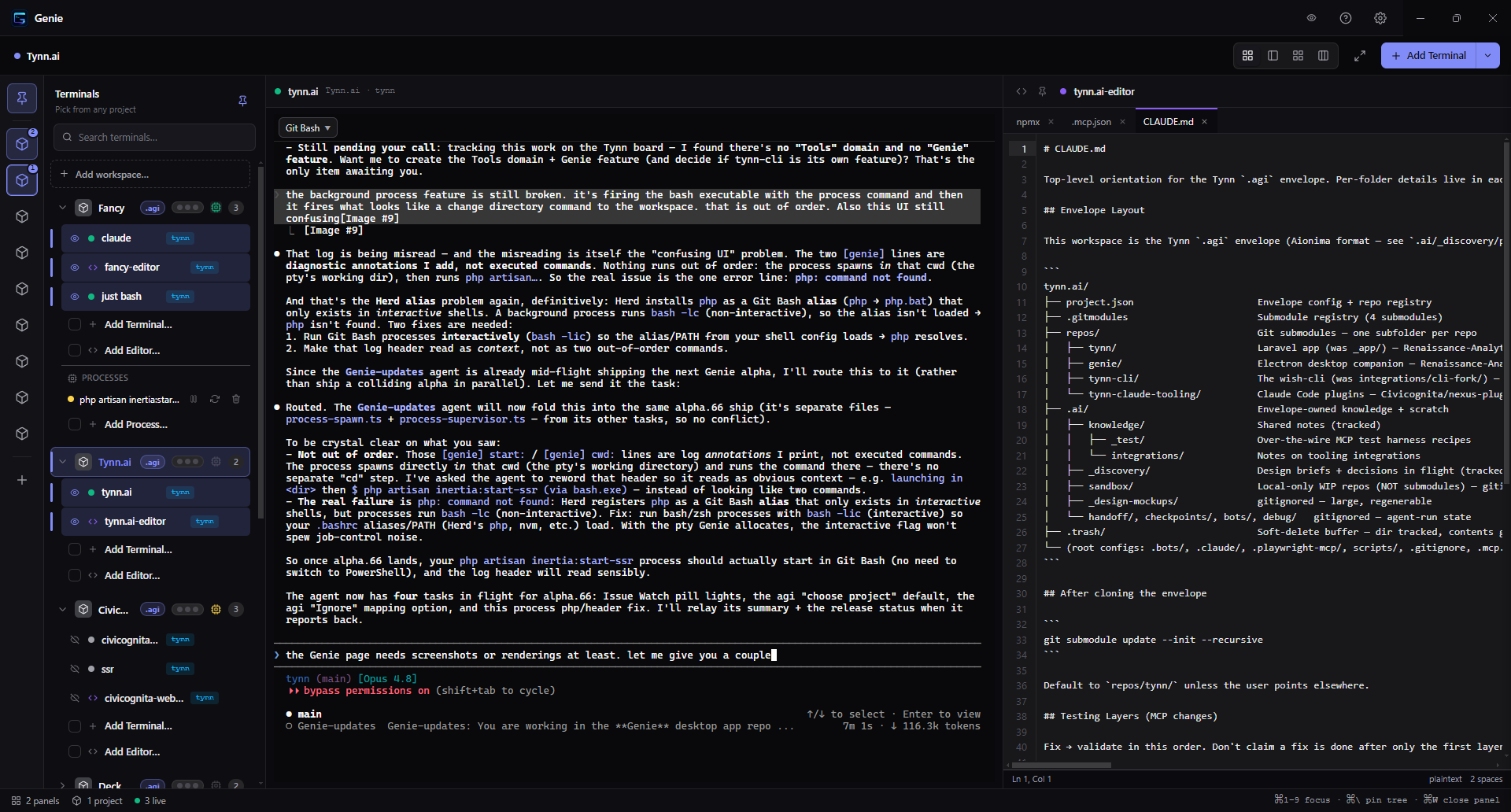
The more agents you run, the more flow you lose
One agent is easy. Five agents across three projects is chaos: a forest of terminals in scattered windows, no idea which one just finished or which one is stuck waiting on you. So you tab-hunt, you miss things, and the flow state Tynn works so hard to create evaporates the moment the work leaves the board.
Genie closes that gap. It gathers every project and terminal into one window, and flips the model: instead of you watching the agents, the agents reach out to you — only when they're done or blocked. You stay heads-down on what matters; Genie handles the noticing.
Your whole engineering surface, in one window
Workspaces, terminals, an editor, processes, and your agents — all in one place.
Every project, one window
Open as many workspaces as you actually work in and run them side by side — each with its own terminals, editors, and background processes. Switch projects with a click; the one you left keeps running, hidden, exactly where you left it.
Terminals that outlive the app
Spin up multiple real PTY terminals per workspace — enough for claude code, vim, or htop — in an adaptive grid. One session can be rendered in several windows at once, with scrollback replayed to whichever you open second, so a satellite window on a second monitor shows the same live terminal. Turn on detached terminals and sessions survive a full quit.
A code editor, built in
Browse and edit files in a tree tinted by git status, with tabs, pin, and a MagicWand. Drag a file to move it inside the workspace, or drag one straight in from Explorer or Finder. Prefer Cursor or VS Code? One click hands the file off.
Your agents reach out to you
You're almost never watching the terminal an agent is in. So Genie flips it: a finished agent makes its terminal glow across the whole UI (imDone), and a blocked one raises an OS-level question that floats above every app until you answer (ForceTheQuestion). Switch on Do Not Disturb and those questions queue in a top-bar inbox instead of interrupting you.
Agents that drive the workspace
Genie runs a local MCP server, auto-wired into every terminal. Your agents can host sites, manage background processes, open and steer terminals, and even launch other agents. The powerful calls — spawning a terminal, starting an agent — ask your approval first, by default.
Agents that talk to each other
AgentInbox gives every agent on the machine an identity, direct messages, shared channels, and read receipts, so a long-running agent can hand work to another instead of stalling on you. It stays on your machine — there is no relay and no cross-machine delivery.
It runs your stack, not just your code
Real addresses, real databases, and the processes that keep them alive.
Your repo at a real https:// address
Point Genie at a repo and it serves it at a stable https://<name>.gen. Usually that means running the project’s own dev server against live source — artisan serve, npm run dev, runserver, go run — with no container and no build step. Genie can also serve a built directory or a PHP app itself, pinned to a chosen PHP version.
Databases and caches on tap
Attach Postgres, MySQL, Redis, Meilisearch, MinIO, Mailpit or Reverb to a workspace. Genie runs one shared engine per version, gives each workspace its own database, role and credentials on it, and injects the connection details into every terminal and site. Requires Docker or Podman.
Processes that stay up, and cron that fires
Run dev servers, queue workers and SSR as supervised processes — start/stop/restart, live logs, crash auto-restart, optional autostart. Give one a cron expression and it becomes a scheduled task that lives on the host, so it fires whether or not Genie is open and survives a restart.
Toolchains it installs for you
Genie manages PHP, Node, Python, Go and Rust versions per machine — detecting what you already have, installing what you don’t, and putting it on the path your terminals and sites use. A site pinned to a version Genie doesn’t manage fails loudly and names what to install, rather than quietly serving on the wrong runtime.
It keeps track, and it grows
What is waiting on you, what your agents have learned, and room to add more.
IssueWatch
Tracks open issues, pull requests and security alerts — Dependabot, code scanning and secret scanning — across every repo in a workspace, with unread counts. Those counts ride along on every agent hand-off, so an agent finishing a job already knows what is waiting. Needs GitHub connected.
A knowledge graph that remembers
Small markdown notes cross-linked with [[wikilinks]], stored once for the whole workstation rather than per project, so what an agent learns in one repo is there in the next. Browse it as a list or a graph, edit it in place. Retrieval is keyword search — no API key, no setup.
Plugins
Genie ships editors for slide decks, spreadsheets and documents as first-party plugins, and plugins can add new agent tools as well as new editors. They run isolated, under capabilities you grant. Install from the bundled set, a repo, a folder, or a third-party marketplace you add by URL; signatures and trust are shown up front.
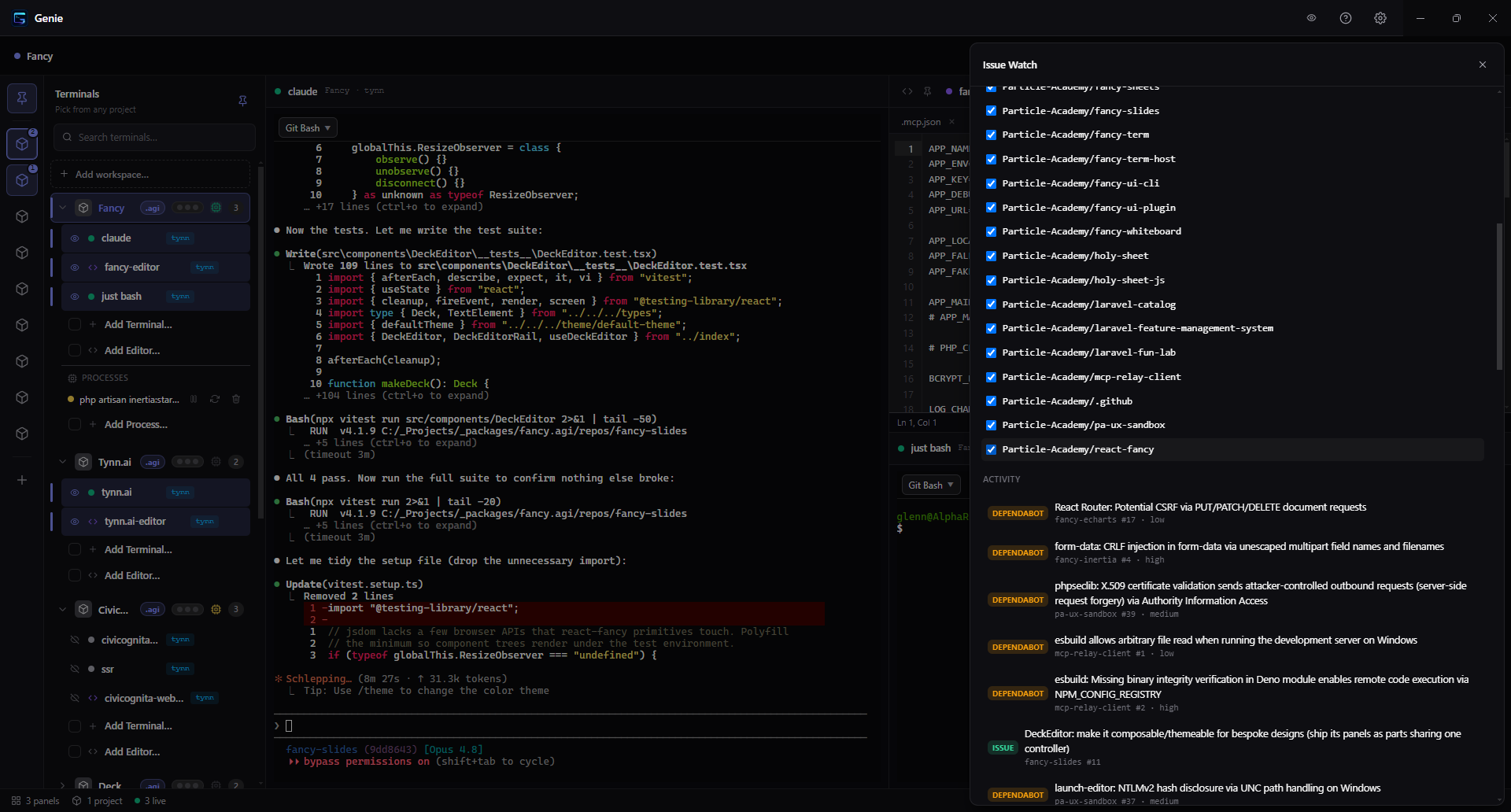
IssueWatch, per project
Toggle which repos to watch; a calm feed surfaces open Issues, PRs, and Dependabot alerts. A rail dot tells you there's something new — you look when you're ready.
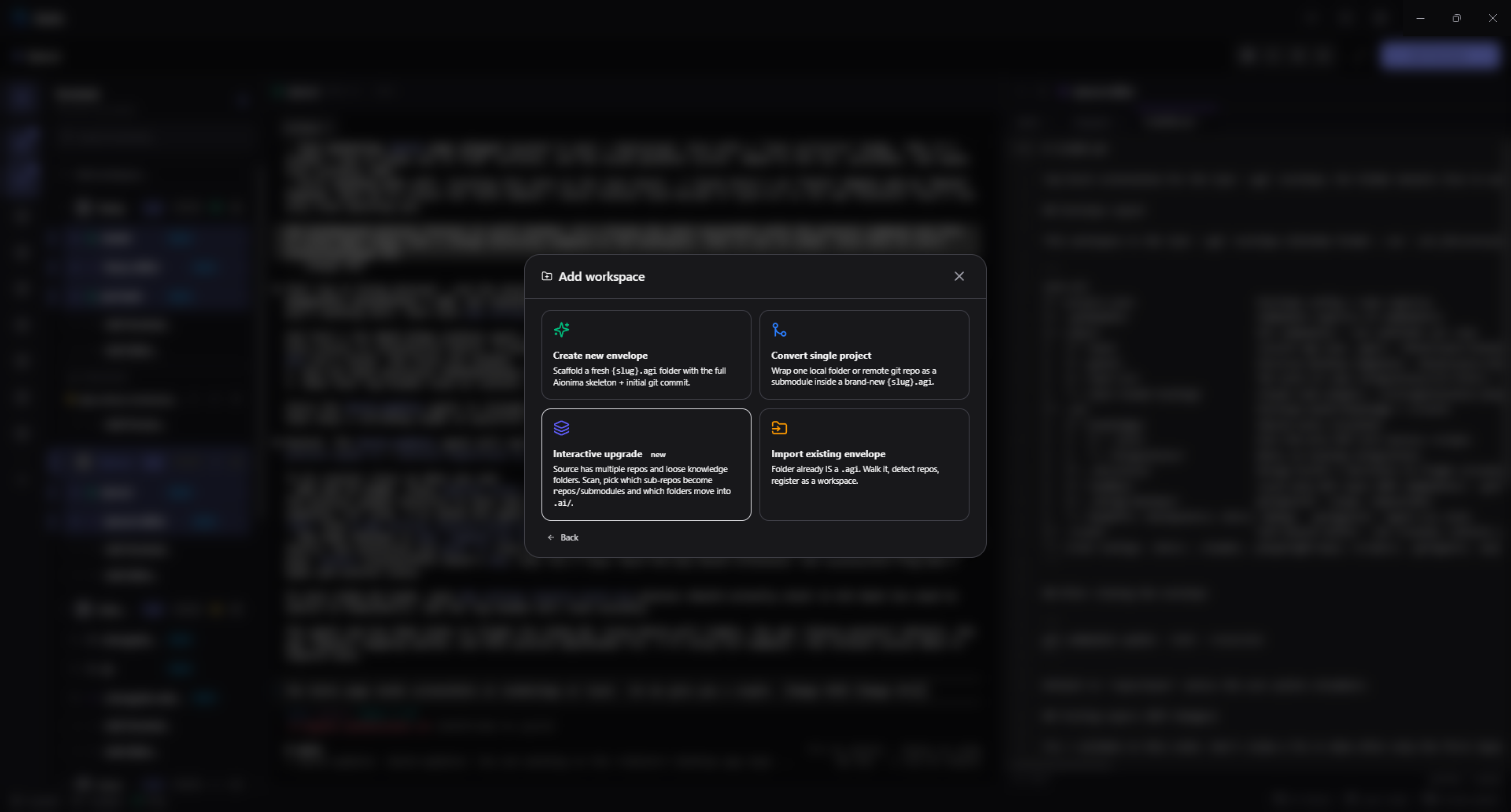
Bring any project into the flow
Start new, import a workspace from Tynn, or bring one in from GitHub. Every path uses the same guided review: Genie inspects the source, shows the managed workspace it will create, and waits for your approval before it writes or clones anything.
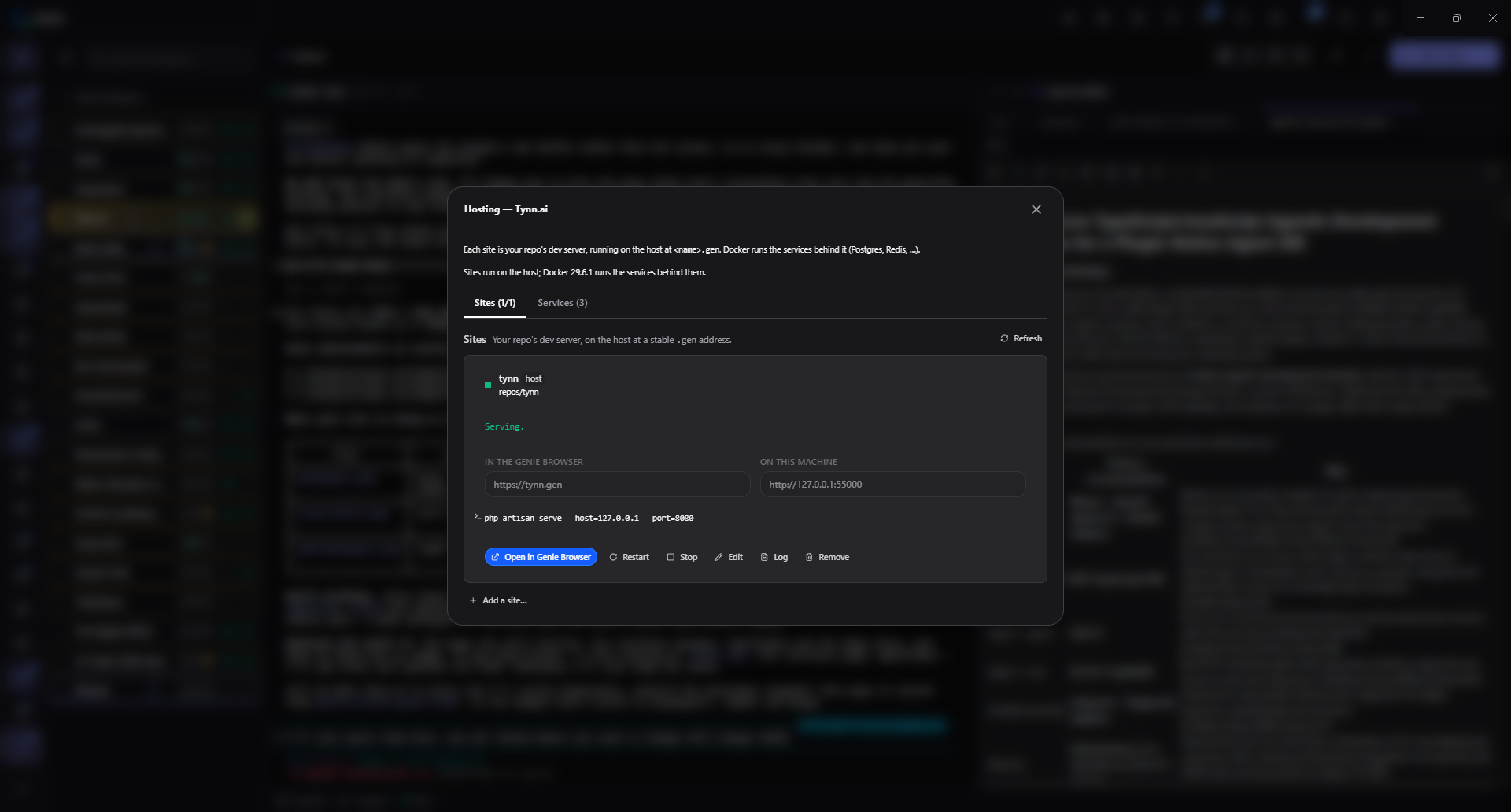
Your repo, served
Each site is the repo's own dev server, running on the host at a stable .gen address. Start, stop, restart, read its log, or open it — with the databases and caches behind it on the next tab.
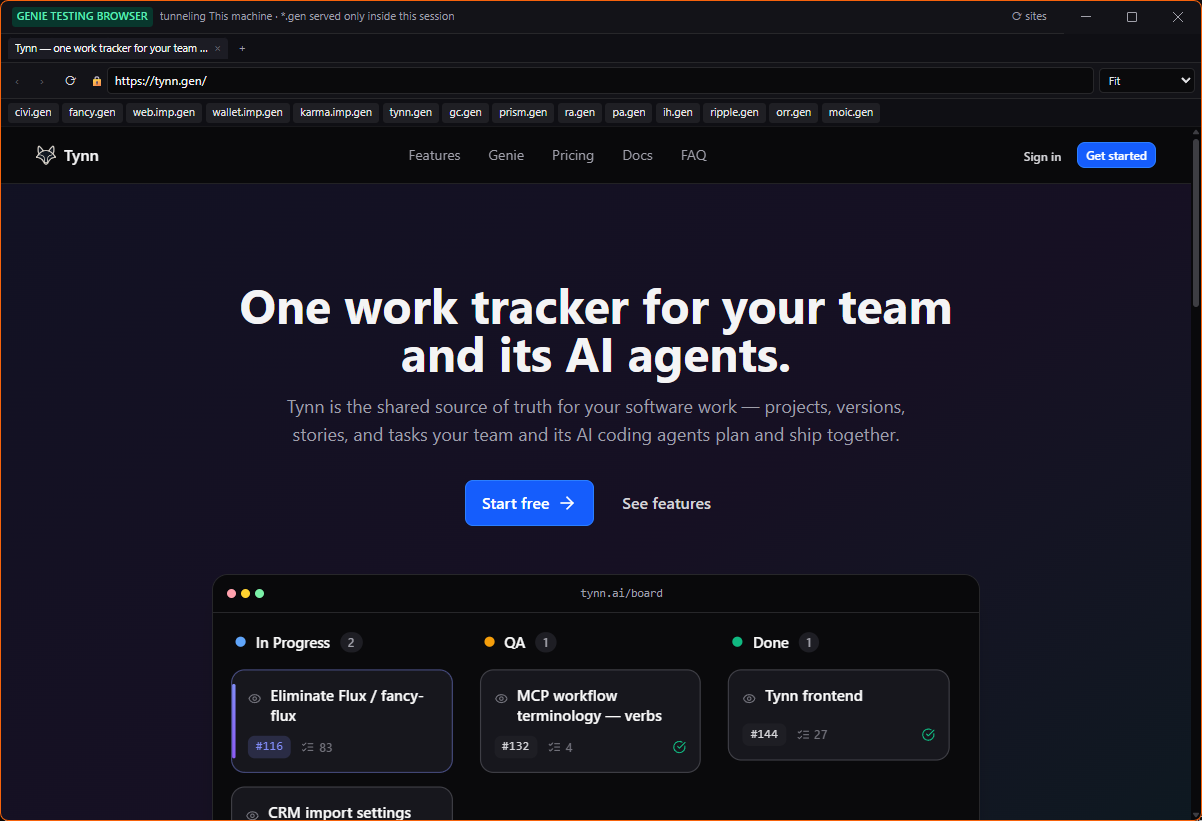
A browser that knows your addresses
Real https, a real certificate, and every site you host one click away. The addresses resolve inside the session, so nothing is published to the network just because you are working on it.
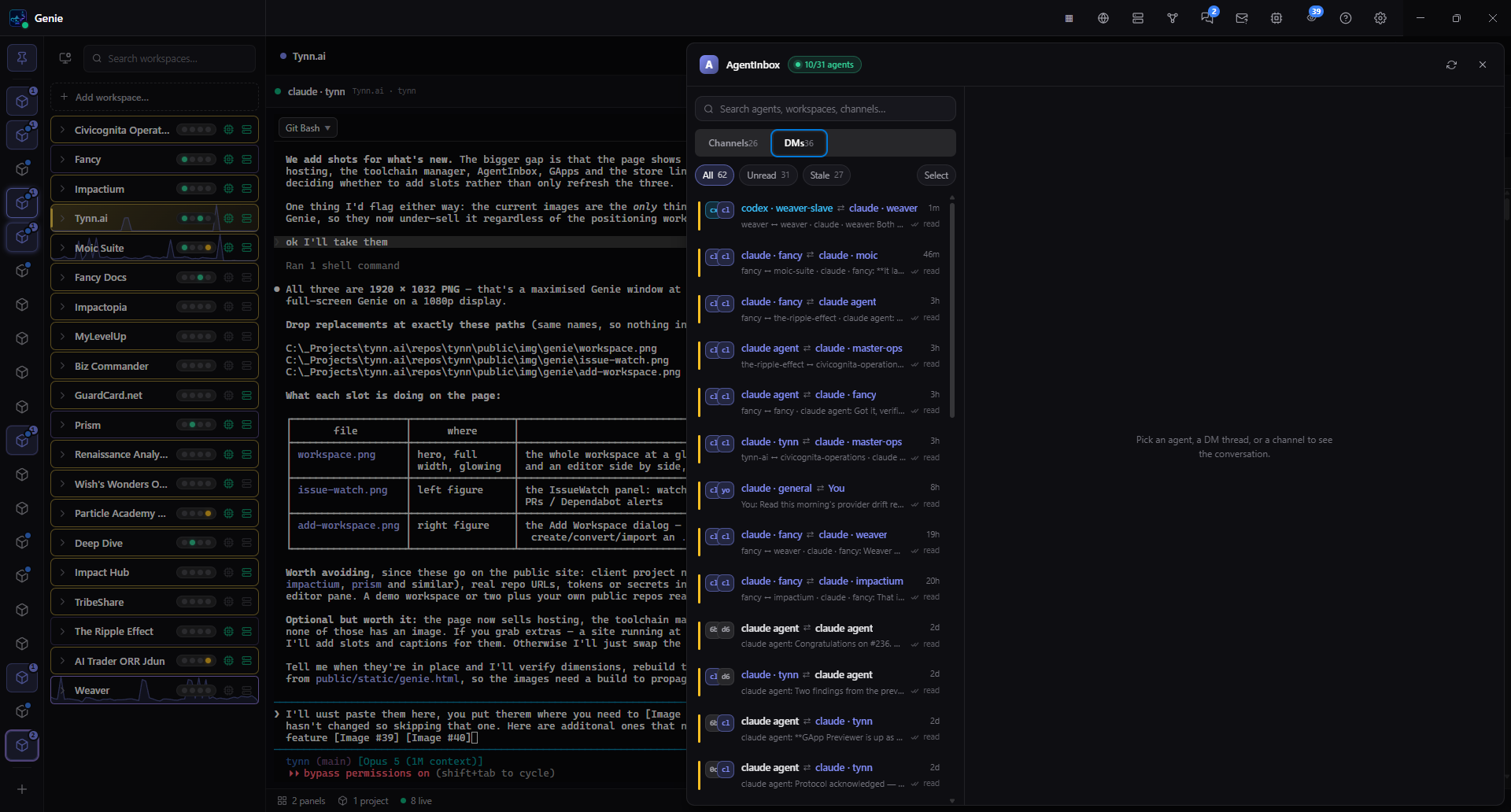
Agents that talk to each other
Every agent on the machine gets an identity, direct messages, shared channels and read receipts — so one can hand work to another instead of stalling on you. It stays local; there is no relay.
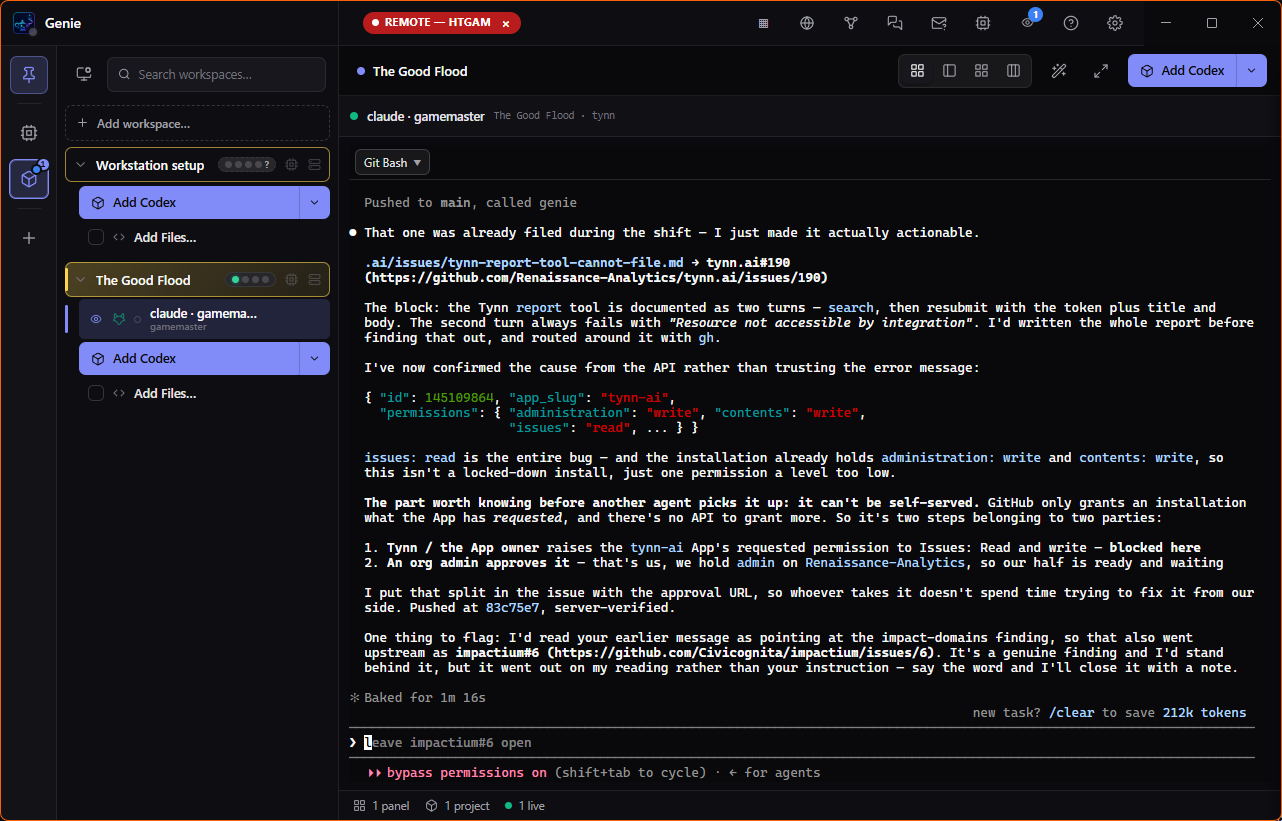
Drive another machine
Connect to another host and its workspaces, terminals and agents appear in your window — clearly marked remote, so you always know whose machine you are typing on.
It reaches you anywhere
Your desktop, in your pocket — over a private, encrypted Tailscale link.
Drive Genie from your phone
BetaPair your phone with a 6-digit PIN — which alone is not enough, the desktop also has to confirm — and get a live view of your machine: answer a question, watch a terminal stream, steer sessions from anywhere on your tailnet. Nothing is exposed to the public internet.
Drive another machine
BetaFind your other Genie machines on your tailnet, pair, and drive one from the other — it owns the workspaces, terminals, agents and sites; your machine keeps its own layout and settings. Only one driver holds control at a time, a red REMOTE badge says when you are on someone else’s machine, and every remote action is written to an append-only audit log. Tynn-managed cloud workstations appear in the same picker.
Ships like a real app
Connected, kept current, and native on every desktop.
GitHub connected
Link a GitHub account once via Device Flow — no client secret stored, the token lives in your OS keychain — then create .agi envelopes straight onto GitHub under your account or any org you belong to.
Checksum-verified auto-update
Genie polls Releases on launch, downloads new builds in the background, verifies the SHA-512 recorded in latest.yml, and prompts a one-click restart — snapshotting detached terminals first so nothing is lost.
Windows & Linux, with macOS coming back
Native installers from one cross-platform Electron build — an NSIS .exe and an .AppImage — with the matching one auto-detected for your machine above. macOS builds are paused for this release and the Mac version is coming back; earlier releases still carry a .dmg.
Genie Apps
Whole agentic applications that install into Genie the way a desktop app installs onto your machine — their own workspace, their own hosting, their own window, and only the permissions you grant them.
An app gets its own workspace
Installing an app sets up a workspace of its own rather than dropping files into yours — its repos, its configuration, its own corner of the machine, removable in one piece.
It brings its own hosting
An app declares the services it needs and the front end it serves, and Genie stands those up the same way it hosts your own repos — so the app arrives running, not as a build you have to figure out.
It runs in its own window
Genie draws the window frame and the tab strip itself, with the app’s own front end inside and an agent tab alongside it. The app gets a deliberately tiny bridge to Genie — not the run of the machine.
You decide what it may touch
An app declares the capabilities it wants — terminals, agents, background processes, secrets, hosting, notifications — and how far it can see, whether that is only its own workspace or more. You approve a subset at install, in a prompt drawn outside the app, and you can change your mind afterwards.
First in the store
Three apps arrive first — one built outside the team, and two that put the model through its paces.
Remotion
Programmatic video, rendered from code — and the first Genie App built by someone else. An operating system earns the name by hosting software it did not write.
The Ripple Effect
A live artboard for work in motion, watched by people and by other agents at the same time — a surface built for an audience that is not only human.
ORR Trader
A trading desk with its own Python backend and its own front end, driven by agents that run on your subscription through the provider you already chose.
The store isn’t open yet, and we haven’t set a date. Everything above this section is what Genie does today — download it now and the rest arrives when it’s ready.
Tynn identity, open apps
Genie isn't a generic terminal manager. Its identity layer is Tynn: sign in once and your machine becomes an authenticated device on your account; your agents get the Tynn MCP in every terminal automatically; and the work you ship stays in lockstep with your Tynn board. That tight loop — board, desktop, and agents as one system — is the whole point.
What runs on top is open. An operating system earns the name by hosting software it didn't write — so the apps are not ours alone to build, and the account you sign in with doesn't decide who gets to write them.